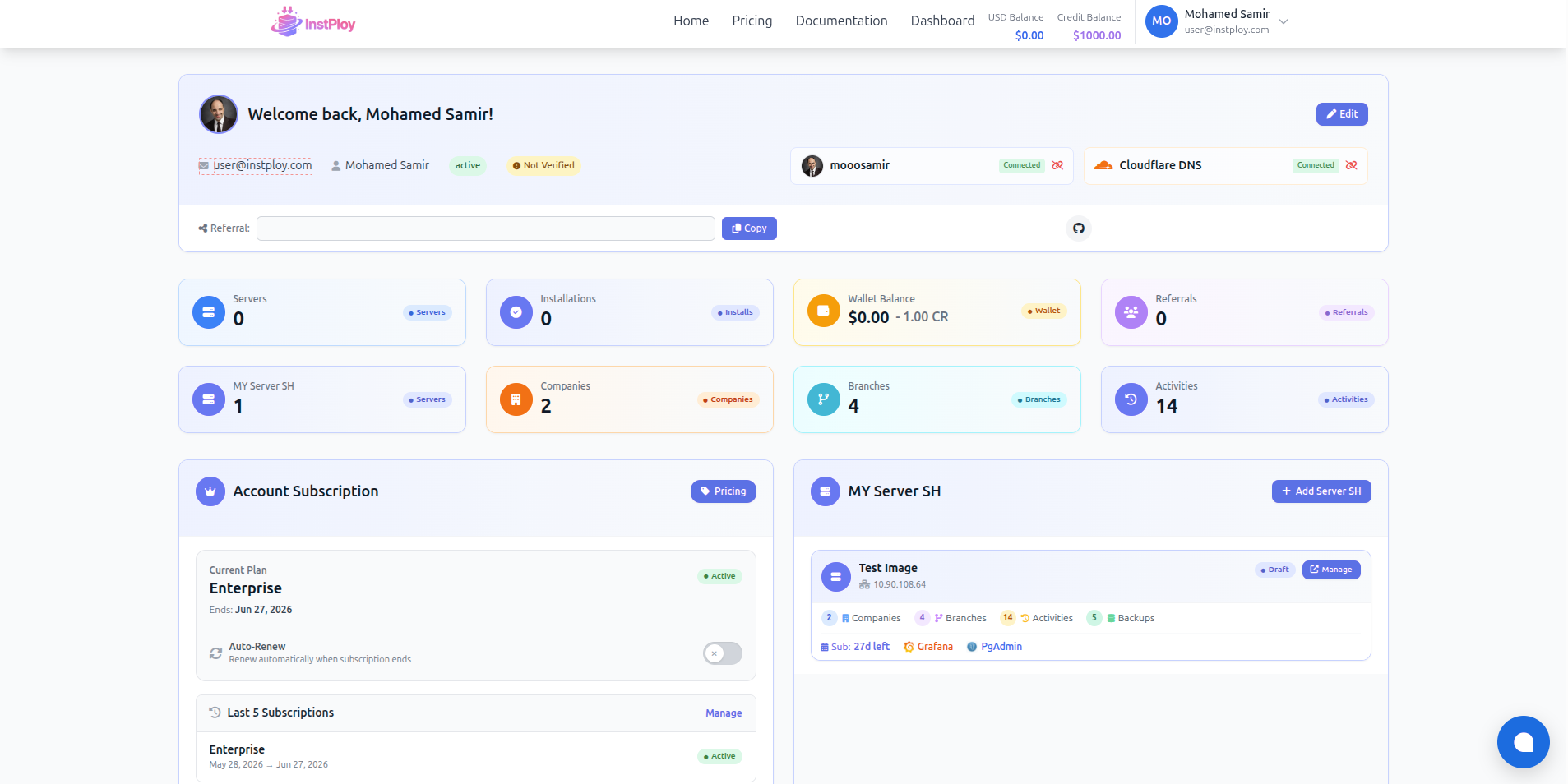
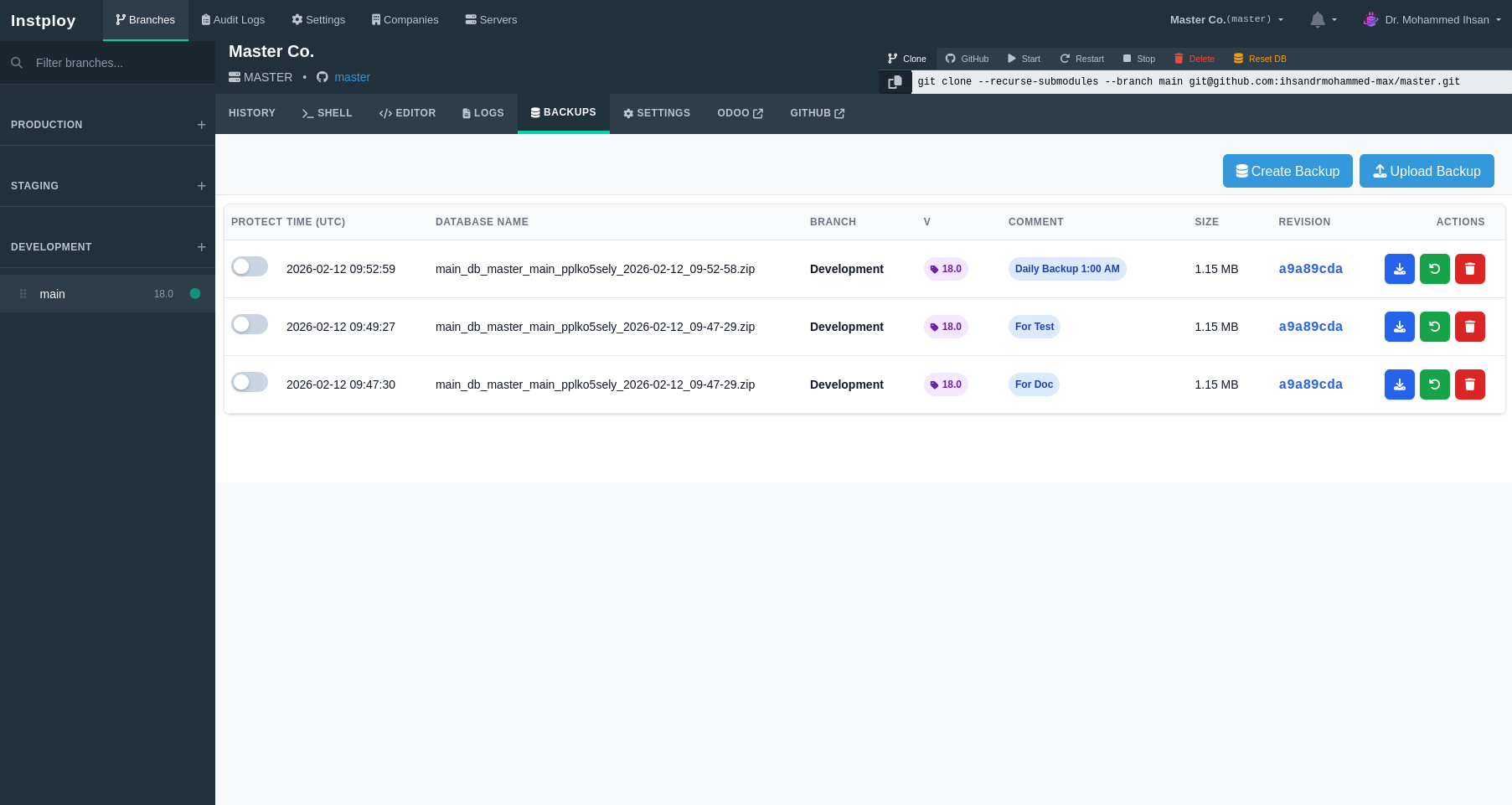
Automated backups
Backups run without you. Restore a database when a client needs it.
Your Odoo cloud control platform — on your own server, fully managed.
Create your account today — Make your work easier
Everything you need to deploy, stage, and manage Odoo on your own infrastructure — in one platform.
We handle installation, requirements, and automation — so your platform is ready for real client work.
Google or GitHub authentication
Create your account instantly using Google or GitHub. You can link both providers to the same workspace for a unified identity.
Bring your own infrastructure
Register your VPS, dedicated machine, or on-premises (local) server. The platform establishes a secure connection and prepares it for automated setup.
Docker, Nginx and PostgreSQL installed
The system installs and configures the required runtime stack automatically: container engine, web server, and database engine.
Central routing entrypoint
Set your primary domain. All companies and environments will be automatically created as subdomains under this domain.
Project initialized automatically
Enter your company name and the platform creates a dedicated workspace and automatically generates a GitHub repository.
Community or Enterprise
Choose the edition and version you want to run (16, 17, 18, or 19). The platform prepares the matching environment configuration.
Auto branch and configuration
A development branch and environment are created automatically with full deployment configuration connected to your repository.
First environment created
The platform creates your first development environment, prepares all configuration files, sets up the database structure, and configures deployment scripts automatically.
Quality assurance and validation
A dedicated testing environment is created where your QA team can validate features, test integrations, and ensure everything works perfectly before production deployment.
Your business system is running
The production environment is deployed with full Odoo installation, optimized database, secure routing, and automated monitoring. Your system is now live and ready for your customers.
You now operate a complete Odoo platform on your own server. Code, database, routing, and environments are fully automated while you keep full infrastructure ownership.
Traditional hosting removes control. Manual servers require DevOps expertise. This platform gives you automation without losing ownership — your infrastructure, professionally operated.
Odoo backup and restore runs on schedule. Restore to a point in time. Roll back when an update breaks something.
Backups run without you. Restore a database when a client needs it.
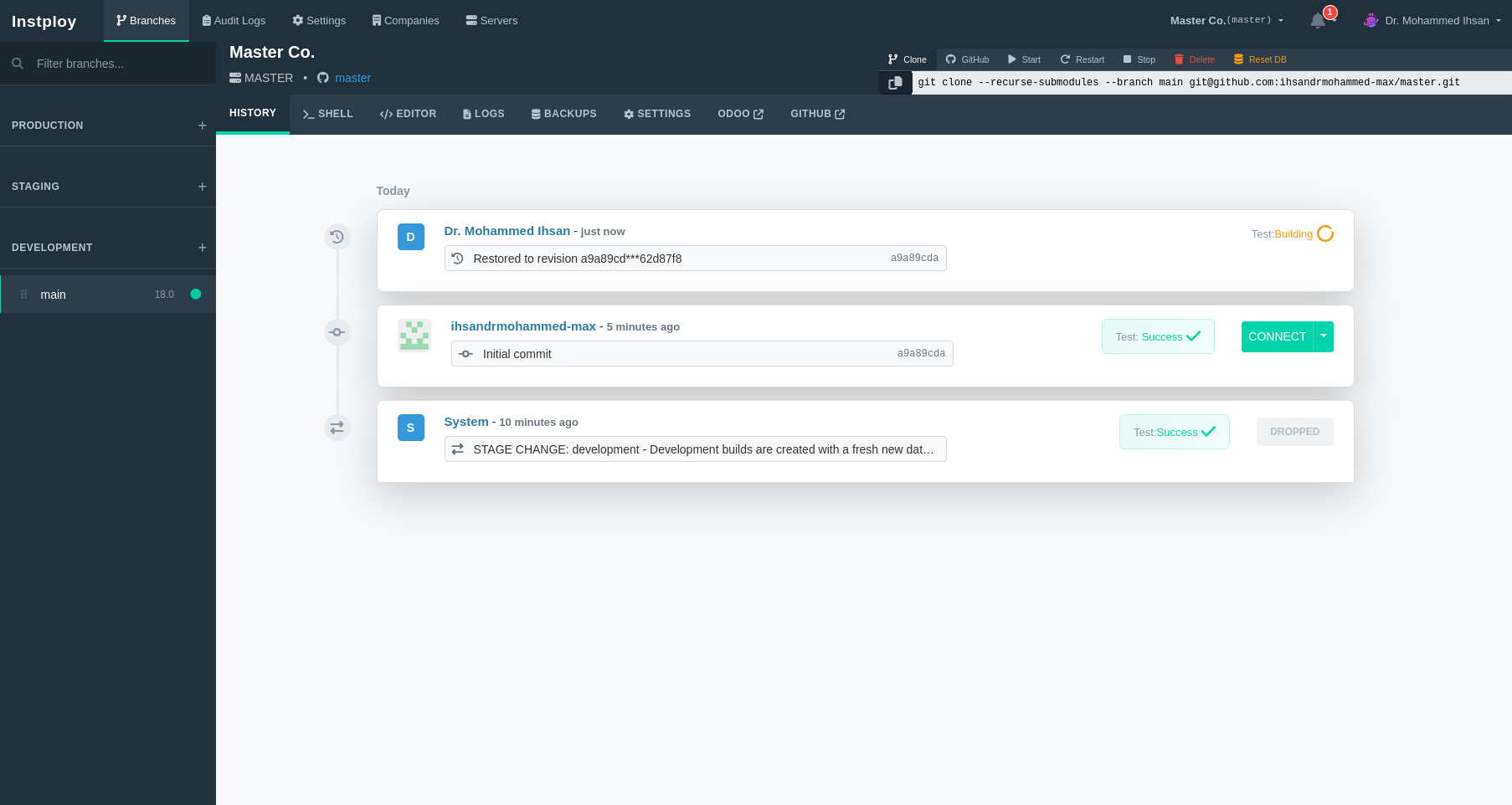
Go back to before the problem. Fix mistakes without starting over.
Update breaks something? Roll back. Production stays up.
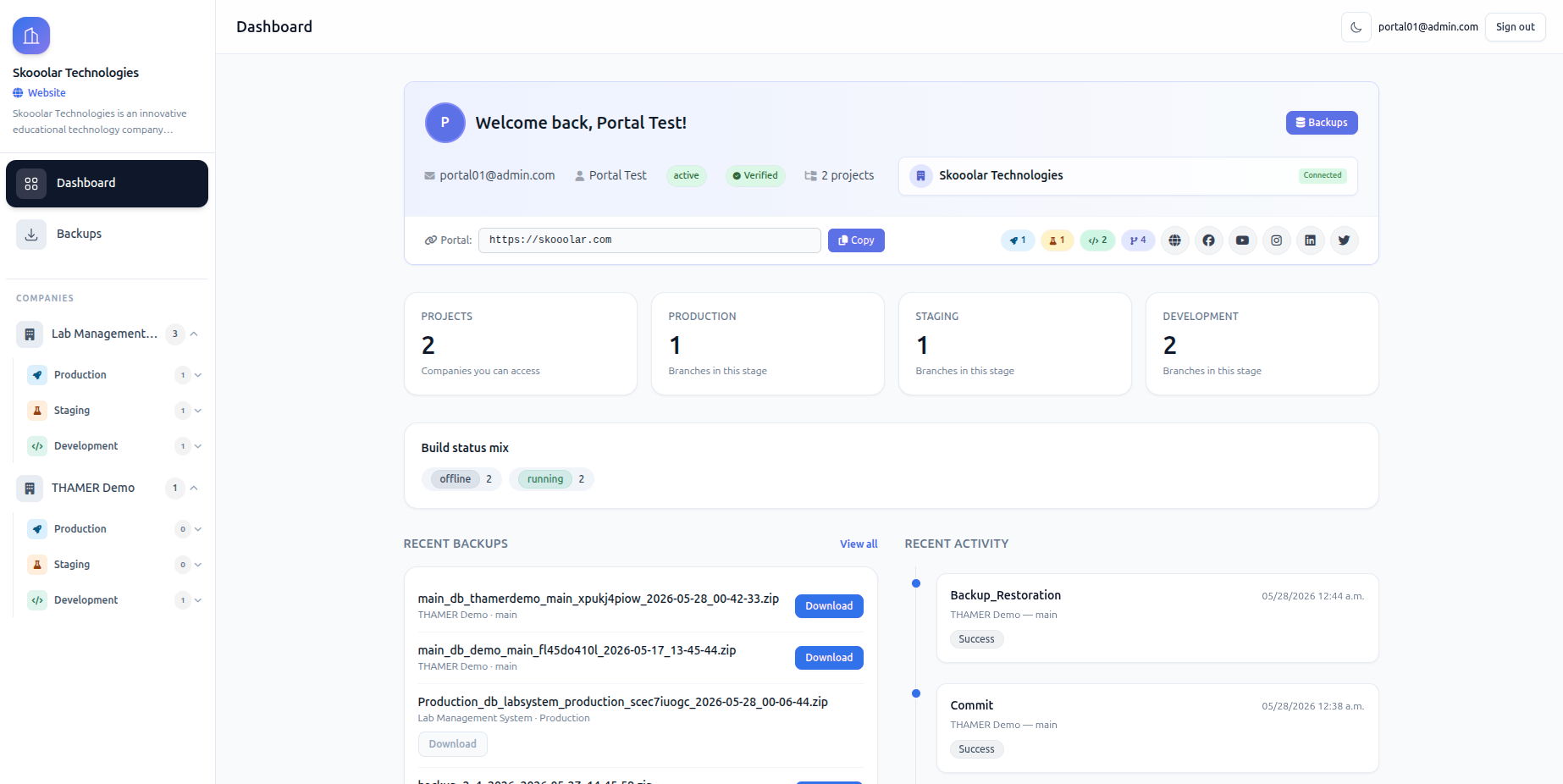
Manage multiple Odoo databases across one or more servers from one panel. Separate staging per client. Isolated environments.
One shared engine, full isolation per database. You keep complete control over resources, settings, and each client's data. Your server, your rules.
Everything monitored on each server. Consolidated resource view plus multiple monitoring dashboards. One place to see and control it all.
Monitor every resource each environment uses. Control CPU, RAM, and disk at the environment level. Full visibility, full control.
One company, multiple environments: testing, development, and production. Each project gets its own. Full flexibility to experiment safely before going live.
Add your server and deploy in minutes. No credit card required.
No credit card required.